Born in Chaos Mod changes how safe survival feels.
Born in Chaos Mod adds hostile mobs, tough encounters, unique creatures, and survival features to make Minecraft more exciting.
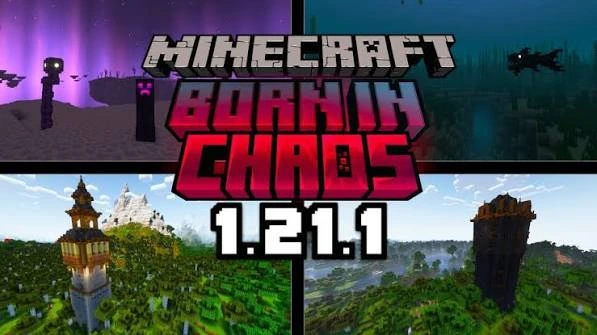
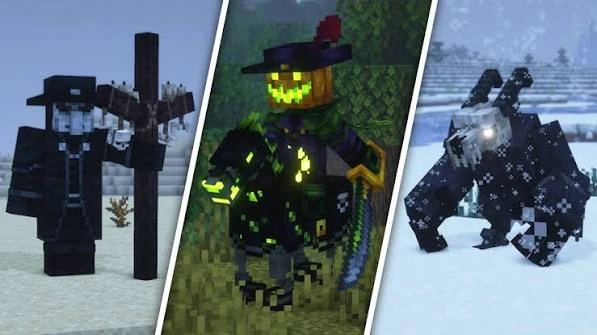
A hostile-creature expansion built to complicate survival.
Born in Chaos Mod is a Java Edition content mod centered on dangerous mobs and survival pressure. Version 1.7.6 targets Minecraft 1.21.1 on NeoForge and adds hostile creatures with distinct behaviors and characteristics that make ordinary survival less predictable.
That makes it a strong fit for players who want exploration and ordinary survival routines to carry more risk. Instead of changing Minecraft into a different game, it layers additional threats into the familiar loop of traveling, gathering, building, and fighting.
More danger without losing the Minecraft survival loop.
The focus is clear: add hostile content and stronger encounters while keeping the world recognizable as Minecraft.
Hostile Mob Variety
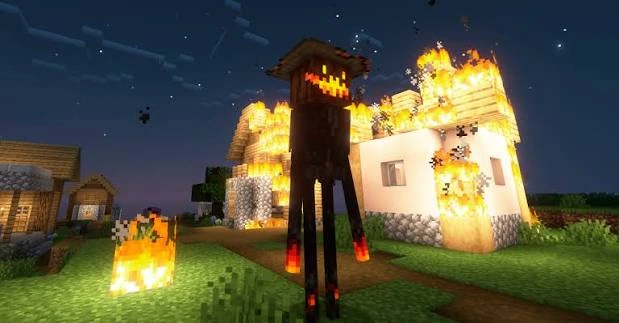
Adds more hostile threats so travel, nights, caves, and exploration demand greater awareness.
Harder Encounters
Raises survival pressure through dangerous creature behavior and more demanding combat moments.
Exploration Focus
Gives exploration more tension by making unfamiliar areas and encounters feel less predictable.
Distinct Creature Style
Uses a dark fantasy visual direction that makes the mod stand out from vanilla Minecraft.
Survival Challenge
Fits players who want survival to feel riskier without replacing the core Minecraft loop.
Modded Play Support
Designed for Java modded play and can be tested alongside other compatible 1.21.1 NeoForge mods.
Install the matching loader, add the JAR, then verify before playing.
A simple three-step flow keeps version mismatches and preventable world problems to a minimum.
Prepare NeoForge
Use a Minecraft 1.21.1 profile with NeoForge 21.1.65 or newer.
Add the Mod
Place the downloaded Born in Chaos JAR in that profile’s mods folder.
Launch & Verify
Start the same profile and confirm it loads correctly before opening an important world.
Know the exact version before you install.
This download is specifically for Minecraft Java Edition 1.21.1 with NeoForge. A Java JAR cannot be used as a Bedrock add-on.
Bedrock players
This Java Edition JAR cannot be installed as a Bedrock behavior pack or resource pack because Bedrock uses a different add-on format.
Read Compatibility GuideWhere the mod fits best.
Use it when you want a familiar Minecraft base with a darker, more hostile survival feel.
Harder Survival
For players who want regular survival runs to feel more dangerous and reactive.
Exploration Runs
For worlds where discovering new areas should involve more threat and uncertainty.
Combat-Focused Worlds
For players who enjoy preparing gear and adapting to hostile encounters.
Modpack Experiments
For compatible NeoForge mod lists where extra hostile content fits the pack theme.
A clean setup is more reliable than trial-and-error.
Especially before adding, updating, or removing content mods.
Do not load this file under a different game version.
The mod metadata requires NeoForge 21.1.65 or a newer compatible release.
A minimal launch makes incompatibilities easier to isolate.
Download Born in Chaos Mod
Download Born in Chaos Mod 1.7.6 for Minecraft Java Edition 1.21.1. This file requires NeoForge 21.1.65 or newer and downloads directly as a JAR.
Download Born in Chaos Mod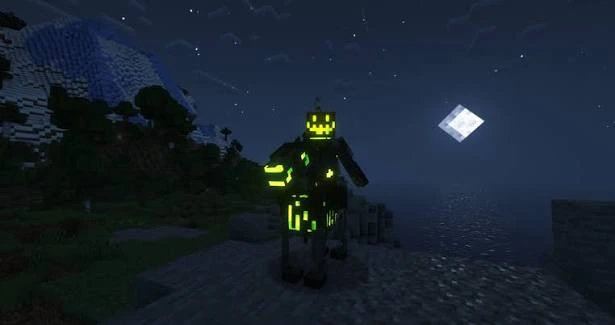
Version 1.7.6 is built for Minecraft Java Edition 1.21.1 and requires NeoForge 21.1.65 or newer.
NeoForge 21.1.65 or newer is required for version 1.7.6.
Minecraft Java Edition 1.21.1.
The mod metadata lists GeckoLib and JEI as optional dependencies.
Safety Notice
Back up worlds before changing a modded setup. Only use the JAR with the matching Minecraft and loader versions, and test major mod-list changes on a copy of your world first.
What to expect from a tougher hostile-mob setup.
The strengths and trade-offs mostly come from the same design goal: making survival more dangerous.
Pros
Cons
Start with versions, then isolate conflicts.
Most mod-launch problems become easier to diagnose once the game version, loader version, and active mods folder are confirmed.
Game will not start
Confirm Minecraft 1.21.1, NeoForge 21.1.65+, and a clean copy of the JAR.
Conflict with other mods
Temporarily test with Born in Chaos and only essential dependencies, then add other mods back in groups.
Performance feels heavy
Reduce demanding graphics options, test without shaders, and compare against a smaller mod list.
Go deeper with focused setup and survival guides.
The guide library covers installation, mobs, bosses, structures, compatibility, troubleshooting, performance, survival, and Bedrock-vs-Java questions.
Open All GuidesBorn in Chaos Mod questions, answered clearly.
Find clear answers about installation, compatibility, gameplay, downloads, and common startup problems.
Born in Chaos Mod is a Minecraft content mod focused on hostile mobs and survival pressure. Its mod metadata describes the project as adding many hostile mobs with distinct characteristics that can make survival more difficult.
The available download is the NeoForge release for Minecraft Java Edition 1.21.1.
This release uses NeoForge and requires version 21.1.65 or newer for Minecraft 1.21.1.
The available file is Born in Chaos version 1.7.6 for Minecraft 1.21.1 on NeoForge.
Yes. The mod metadata specifically describes the project as adding many hostile mobs with their own characteristics, changing the pressure of normal survival.
The mod is designed around dangerous creatures and challenging encounters. Exact content can vary by release, so use the in-game experience and version notes as the final reference for a specific build.
For version 1.7.6 on NeoForge 1.21.1, the mod metadata marks GeckoLib and JEI as optional rather than required dependencies.
No. The download is a Java Edition NeoForge mod file. Bedrock Edition uses a different add-on system and cannot load this JAR directly.
You can load compatible mods into an existing Java world, but backing up the world first is strongly recommended because new content and spawn behavior can affect exploration and progression.
Yes. The main download button links directly to the JAR file without sending you through a third-party redirect.
Install a Minecraft 1.21.1 NeoForge profile, place the downloaded JAR in that profile’s mods folder, then launch the matching profile. Keep a world backup before adding or updating mods.
The most common causes are a mismatched Minecraft version, an outdated loader, a conflicting mod, or a broken Java/mod setup. Check the version first, then test with a minimal mod list.
Confirm the JAR is inside the active profile’s mods folder, that the profile is Minecraft 1.21.1, and that it is actually launching through NeoForge rather than vanilla Minecraft.
No. A Java NeoForge JAR is not compatible with Bedrock behavior-pack or resource-pack folders.
Yes. Make a copy of important worlds before installing, updating, or removing content mods.
Often yes, provided the other mods support the same Minecraft and loader versions. Large modpacks should be tested gradually so conflicts are easier to isolate.
Reduce demanding graphics settings, test without heavy shaders, confirm sufficient memory, and compare performance with a smaller mod list to identify conflicts or resource pressure.
Removing a content mod can leave missing entities, items, or generated content. Back up the world and test a copy before removing the mod from an active save.
Use the installation, compatibility, troubleshooting, performance, mobs, structures, bosses, and survival guides in this website’s Guide section.
No. This is an independent informational and download website and is not affiliated with Born in Chaos Mod or other third-party platforms.